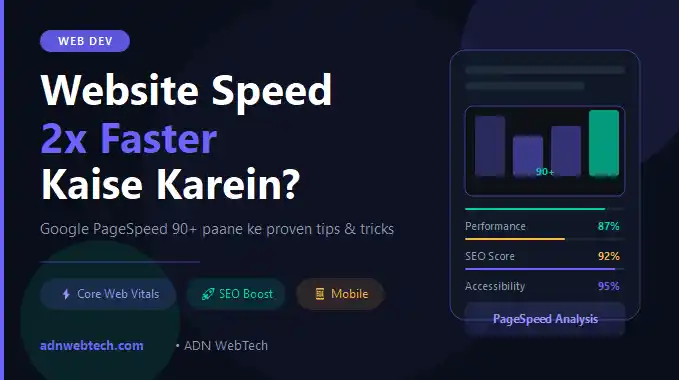
Website Slow Kyun Hoti Hai? — Pehle Ye Samjhein
Kya aapne kabhi notice kiya ki koi website open hone mein 5-6 second lagate hai aur aap turant back
button dabate hain? Yahi hota hai aapke visitors ke saath bhi.
Google ke ek study ke mutabiq, agar koi page 3 seconds se zyada load hota hai, toh 53% mobile
users us page ko abandon kar dete hain. Aur slow website ka seedha asar aapki Google ranking
par bhi padta hai.
Is complete guide mein aap seekhenge:
- Website slow hone ke main reasons
- Core Web Vitals kya hote hain
- Image optimization tricks
- Caching aur CDN ka use
- Hosting upgrade kab karein
Core Web Vitals — Google Ki Speed Measuring System
Google 2021 se Core Web Vitals ko ranking factor maanta hai. Teen main metrics hain:
1. LCP — Largest Contentful Paint
- Kya hai: Sabse bade element (image ya text) load hone ka time
- Target: 2.5 seconds se kam
- Fix: Images compress karein, server response time improve karein
2. FID — First Input Delay (ab INP)
- Kya hai:User ke pehle click aur browser ke response ke beech ka time
- Target: 100ms se kam
- Fix: Heavy JavaScript reduce karein, third-party scripts lazy load karein
3. CLS — Cumulative Layout Shift
- Kya hai: Page load hote waqt elements ka unexpected hil-daul
- Target: 0.1 se kam score
- Fix: Images aur ads ka size pehle se define karein
5 Proven Techniques — Website 2x Faster Banane Ke Liye
Technique 1: Images Ko Sahi Format Mein Convert Karein
Sabse bada reason hai unoptimized images. Ek simple fix:
- PNG/JPG → WebP format** use karein (30-80% size kam hoti hai)
- Images ko proper dimensions mein resize karein
- "Lazy loading" enable karein: `<img loading="lazy">`
Tools: Squoosh.app, TinyPNG, ShortPixel (WordPress plugin)
Technique 2: Browser Caching Enable Karein
Jab user dobara aata hai, browser ko saari files dobara download nahi karni chahiye.
.htaccess mein yeh add karein:
<IfModule mod_expires.c> ExpiresActive On ExpiresByType image/jpg "access plus 1 year" ExpiresByType image/webp "access plus 1 year" ExpiresByType text/css "access plus 1 month" ExpiresByType application/javascript "access plus 1 month" </IfModule>
Technique 3: CSS aur JavaScript Minify Karein
Unnecessary spaces, comments aur code ko remove karna hi minification hai.
- WordPress users: WP Rocket, LiteSpeed Cache, W3 Total Cache use karein
- Custom websites: Gulp ya Webpack se auto-minification set karein
- Online tools: CSS Minifier, JSCompress.com
Technique 4: CDN (Content Delivery Network) Use Karein
CDN aapki website ki files ko duniya bhar ke servers par store karta hai. Visitor ke paas wali location se files load hoti hain — speed drastically improve hoti hai.
Best CDN options:
- Cloudflare (Free plan available — highly recommended)
- BunnyCDN (Affordable for India)
- AWS CloudFront (Enterprise level)
Technique 5: Hosting Quality Check Karein
Bahut logon ki website slow hoti hai sirf isliye kyunki unka hosting plan kamzor hai.
| Hosting Type | Speed | Cost |
|---|---|---|
| Shared Hosting | Slow | ₹100-300/month |
| VPS Hosting | Fast | ₹500-2000/month |
| Cloud Hosting | Very Fast | ₹800-5000/month |
Recommendation: Agar aap serious business chal rahe hain, VPS ya Cloud hosting pe shift zaroor karein.
PageSpeed Insights Score Kaise Check Karein?
- pagespeed.web.dev par jaiye
- Apna website URL daalo
- "Analyze" click karein
- Mobile aur Desktop dono scores dekhein
Score interpretation:
- 0-49: Poor (Turant fix karein)
- 50-89: Needs Improvement
- 90-100: Good ✅
WordPress Users Ke Liye Quick Checklist
✅ Lightweight theme use karein (GeneratePress, Astra)
✅ Unnecessary plugins delete karein
✅ WP Rocket ya LiteSpeed Cache install karein
✅ Database optimize karein (WP-Optimize plugin)
✅ PHP version 8.0+ use karein
✅ Heartbeat API disable karein (agar needed nahi)
Real Result — ADN WebTech Ka Experience
Hamare ek client ka website pehle 8 seconds mein load hota tha aur PageSpeed score sirf 32 tha. Upar diye gaye steps follow karke humne:
- Load time: 8s → 1.8s
- PageSpeed Score: 32 → 91
- Bounce Rate: 78% → 41%
- Google Rankings: Average position 24 → 7
- Ye koi magic nahi hai — yeh systematic optimization hai.
Website speed ek baar ka kaam nahi hai — yeh ongoing process hai. Har 3-6 mahine mein apna PageSpeed score check karte rahein aur updates karte rahein.
Agar aap chahte hain ki ADN WebTech aapki website ki speed professionally optimize kare, toh humse contact karein. Hum free website audit provide karte hain!
👉 Contact karein: adnwebtech.com/contact